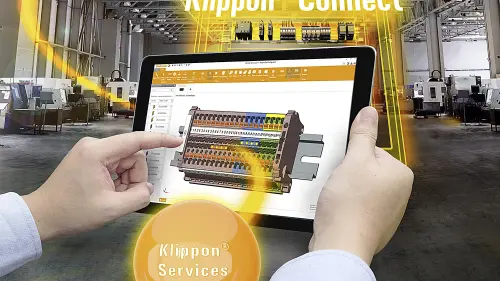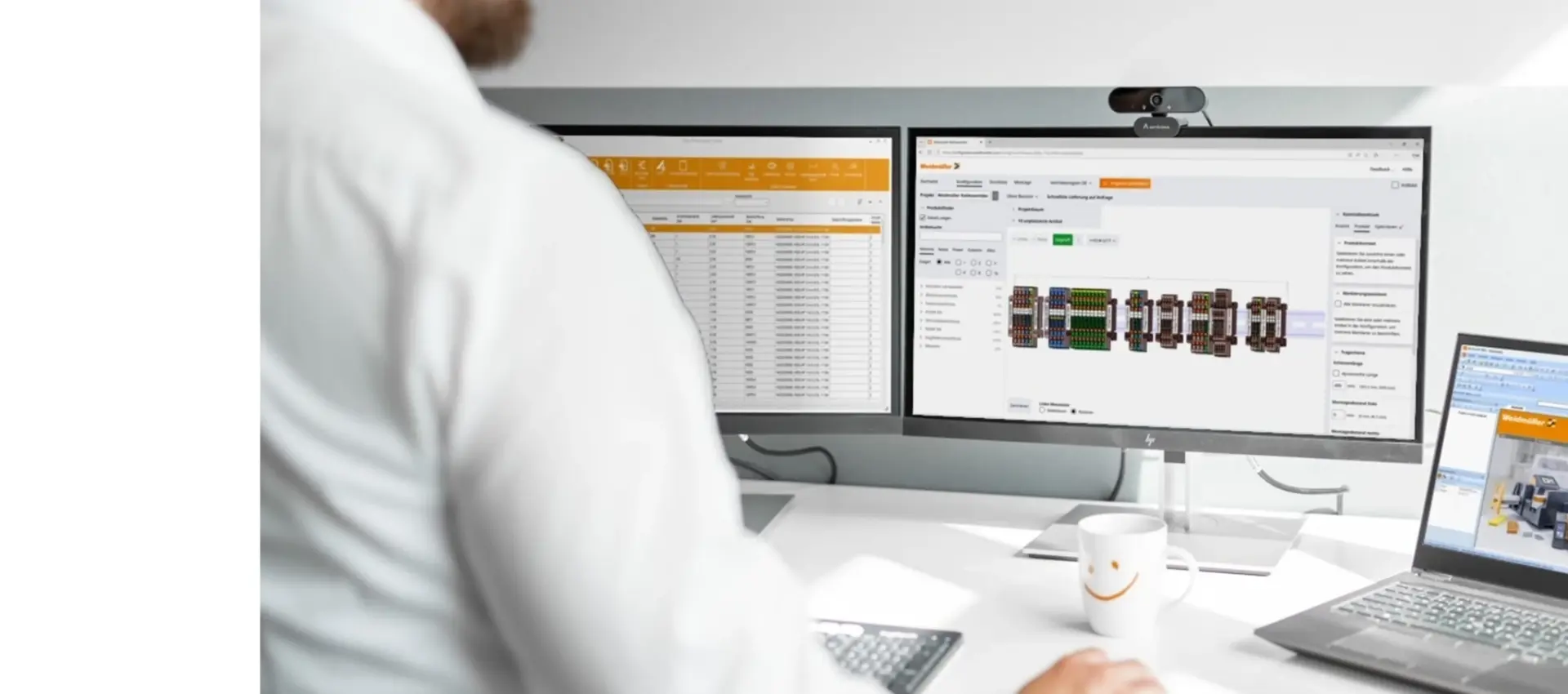
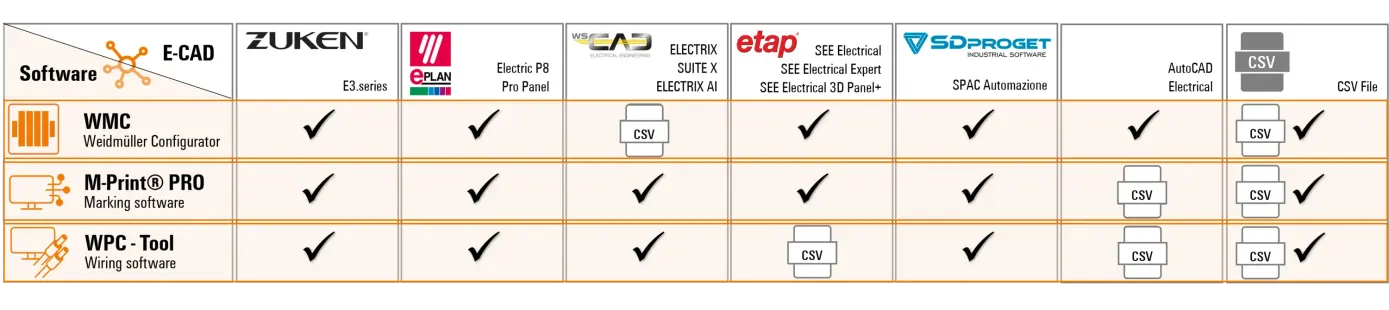
Weidmüller offers you the best possible support in terms of software tools, interfaces and data.
In electrical design, you want to be optimally accompanied in all process steps from planning to production!
Use Weidmüller product data in your engineering system to transfer it directly to Weidmüller's software world via high-performance interfaces. This eliminates the need for manual data transfer. You avoid errors and can work quickly and efficiently.
Processes are digitalized, time is saved and sources of error are eliminated.
With Weidmüllers software solutions, you can efficiently cover configuration, marking and wire assembly throughout all phases of panel building.
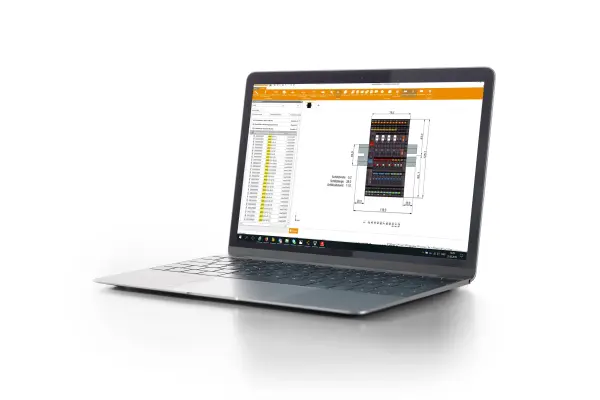
Set up your configuration and request it pre-assembled via the Fast Delivery Service.
Configure now Online Weidmüller Configurator – Cloud version
Download software Weidmüller Configurator (WMC)– Desktop version
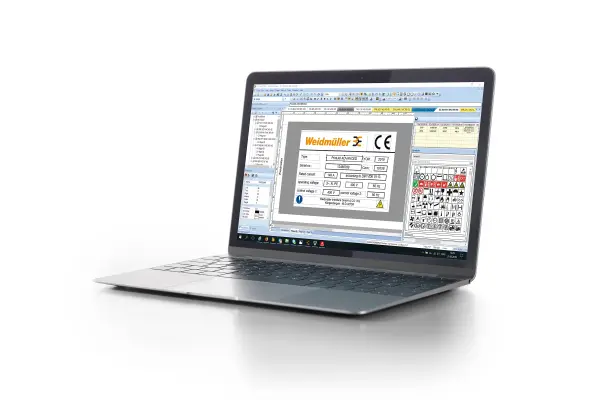
Create texts for various markers, insertion signs, labels or shrink sleeves according to industry standards.
Download software M-Print® PRO
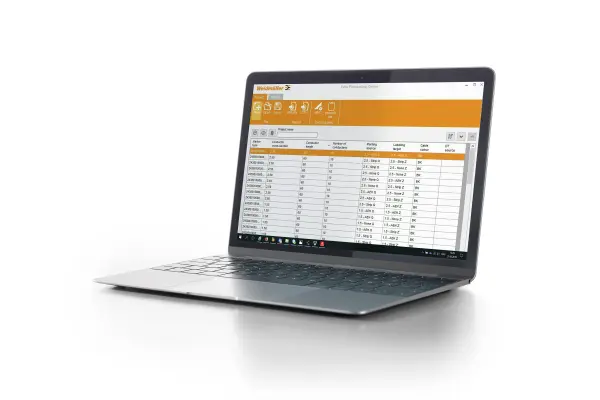
Produce wires using the one-piece flow concept via the Wire Processing Centre
Download software WPC Tool
Would you like a digital consultation on the software tools?
Make an appointment with our experts now!
Process reliability through data consistency
Digital engineering enables complete data continuity to eliminate potential sources of error and increase your productivity - from planning to commissioning of the fully and clearly marked control cabinet.
Zuken – The foundation for end-to-end engineering
Zuken is a global software company focused on electrical and electronic engineering.
Zuken website
________________________________________________________________________________________________________________
Weidmüller Configurator | Zuken E3.series
Please install the Weidmüller Configurator software
You can install the interface between the E³.series eCAD system and the Weidmüller Configurator directly out of the the Weidmüller Configurator.
To do this, go to Import... in the START menu and select E³.series.
Export your project to the Weidmüller Configurator and benefit from the advantages of the direct transfer.
> Explanatory video – Electrical planning with E3 series: Enriching data in the WMC and returning results to ECAD
> Explanatory video – E3.series-WMC interface: installation for easy data exchange!
________________________________________________________________________________________________________________________________________________
M-Print® PRO eCAD Zuken E3.series
Once you have installed the M-Print® PRO software , you can download the M-Print® PRO eCAD for Zuken E3.series interface.
Export your labelling data to M-Print® PRO and benefit from the advantages of direct transfer
________________________________________________________________________________________________________________________________________________
WPC Tool | Zuken E3.series
Once you have installed the WPC Tool software , you can download the Zuken E3.series | interfaceRun WPC Tool .
The wiring data is transferred directly from ZUKEN E3.series to the WPC tool at the push of a button.
> Explanatory video – WPC Software: Exporting the digital twin from Zuken E3 to the Wire Processing Centre
________________________________________________________________________________________________________________________________________________
Data download from the ZUKEN Component Cloud
Download the Weidmüller product data for E3.series from the Zuken Component Cloud .
EPLAN – efficient engineering.
Eplan offers software and services for all aspects of engineering in the fields of electrical engineering, automation and mechatronics. The company develops one of the world's leading software solutions for machine, plant and enclosure construction.
Eplan website
________________________________________________________________________________________________________________
Weidmüller Configurator | Eplan
After the installation of the Weidmüller Configurator software, you can download the Eplan interface for the Weidmüller Configuratorin [DE] or [EN], or you can start the interface download directly from within the Weidmüller Configurator. To do this, go to Import... in the START menu and select EPLAN. Export your project to the Weidmüller Configurator and benefit from the advantages of direct transfer.
> Explanatory video – Eplan-WMC interface: Add terminal accessories easiliy!
> Explanatory video – Eplan-WMC interface: From EPLAN straight to your fully assembled and ready-to-install rail!
>Explaining video - Automate terminal strip assembly and labelling with Worklplace Solutions from Weidmüller
________________________________________________________________________________________________________________________________________________
M-Print® PRO eCAD | Eplan
Once you have installed the M-Print® PRO software , you can proceed to download the interface M-Print® PRO eCAD for Eplan . After installation, you will find the interface in the EPLAN main menu under "Weidmüller".
Export your labelling data to M-Print® PRO and benefit from the advantages of direct transfer.
> Explanatory video – M-Print® PRO – Eplan export
________________________________________________________________________________________________________________________________________________
WPC Tool | Eplan
Please install the WPC Tool software .
Import the export schema from the download for the interface Eplan | WPC Tool in Eplan via "File" > "Export" > "Production data" > "Markings"
Download the script from the attached download into Eplan via "File" > "Tools" > "Interfaces" > "Download"
The wiring data is transferred directly from EPLAN to the WPC tool at the click of a button.
________________________________________________________________________________________________________________________________________________
Downloading data from the Eplan DataPortal
Download the Weidmüller product data for Electric P8 and Pro Panel from the EPLAN Data Portal .
WSCAD – The world’s only AI-powered E-CAD software!
WSCAD is a technology-driven software company that provides AI-powered electrical CAD (Computer-Aided Design) solutions for engineers, designers and maintenance technicians.
WSCAD website
________________________________________________________________________________________________________________
Weidmüller Configurator | WSCAD
Please install the Weidmüller Configurator software
The Weidmüller Configurator offers a convenient option for importing a CSV file.
You can export this from your engineering system and import it into the Weidmüller Configurator.
________________________________________________________________________________________________________________________________________________
M-Print® PRO eCAD | WSCAD
Please install the M-Print® PRO software
The M-Print® PRO eCAD interface is already included in the WSCAD installation.
Export your labelling data to M-Print® PRO and benefit from the advantages of direct transfer
> Explanatory video – Setting up the WSCAD interfaces for the Weidmüller M-Print® PRO software and the WPC tool
> Explanatory video – Using the WSCAD interface with M-Print® PRO & marking with the Label Processing Center (LPC)
________________________________________________________________________________________________________________________________________________
WPC Tool | WSCAD
Please install the WPC Tool software .
The interface installation of the WPC tool is already included in the installation of WSCAD.
The wiring data is transferred directly from WSCAD to the WPC tool at the touch of a button.
> Explanatory video: Setting up the WSCAD interfaces for the Weidmüller M-Print® PRO software and the WPC Tool
> Explanatory video: Using the WSCAD interface with the Weidmüller WPC Tool
________________________________________________________________________________________________________________________________________________
Data download from the WSCAD Universe
Download the Weidmüller product data for SUITE X and ELECTRIX from the WSCAD Universe in various eCAD formats.
ETAP – Solutions for electrical systems, from design and engineering through to operation and maintenance
ETAP® offers market-leading software and hardware solutions for all phases of the lifecycle of electrical systems for utilities, infrastructure, industry and buildings.
ETAP website
________________________________________________________________________________________________________________
Weidmüller Configurator | ETAP
Please install the Weidmüller Configurator software .
The interface installation from SEE Electrical to the Weidmüller Configurator is already included in the installation of SEE Electrical.
Export your project to the Weidmüller Configurator and benefit from the advantages of the direct transfer.
________________________________________________________________________________________________________________________________________________
M-Print® PRO eCAD | ETAP
Please install the M-Print® PRO software .
The interface installation of M-Print® PRO eCAD is already included in the installation of WSCAD.
Export your labelling data to M-Print® PRO and benefit from the advantages of direct transfer
________________________________________________________________________________________________________________________________________________
WPC Tool | ETAP
Please install the WPC Tool software .
The WPC tool offers you a convenient option for importing a CSV file.
You can export this from your engineering system and import it into the WPC tool.
________________________________________________________________________________________________________________________________________________
Data download from the SEE Web Catalogue
Download the Weidmüller product data for ETAP via the SEE WEB Catalogue once you have purchased SEE Electrical.
SPAC Automazione – Powerful and productive electrical CAD software for electrical design
SDProget is one of the leading Italian companies in the design and development of CAD software for the electrical sector.
SDProget website
________________________________________________________________________________________________________________
Weidmüller Configurator | SDProget
Please install the Weidmüller Configurator software .
The interface installation from SPAC Automazione to Weidmüller Configurator is already included in the installation of SPAC Automazione.
Export your project to the Weidmüller Configurator and benefit from the advantages of the direct transfer.
> Explanatory video – Smart Terminal Block Configuration: SPAC Automazione & Weidmüller Configurator Integration
________________________________________________________________________________________________________________________________________________
M-Print® PRO eCAD | SDProget
Please install the M-Print® PRO software .
The interface installation of M-Print® PRO eCAD is already included in the installation of SPAC Automazione.
Export your labelling data to M-Print® PRO and benefit from the advantages of direct transfer.
> Explanatory video – Automating wire numbering & component marking with SPAC Automazione & M-Print® PRO
________________________________________________________________________________________________________________________________________________
WPC Tool | SDProget
Please install the WPC Tool software .
The interface installation of the WPC tool is already included in the installation of SPAC Automazione.
The wiring data is transferred directly from SPAC Automazione to the WPC tool at the touch of a button.
________________________________________________________________________________________________________________________________________________
Data download from the SPAC Data Web
After purchasing SPAC Automazione, download the Weidmüller product data from the SPAC Data Web .
AutoCAD Electrical
________________________________________________________________________________________________________________
Weidmüller Configurator | AutoCAD Electrical
Please install the Weidmüller Configurator software .
The interface installation from SEE Electrical to the Weidmüller Configurator is already included in the installation of SEE Electrical.
Export your project to the Weidmüller Configurator and benefit from the advantages of the direct transfer.
________________________________________________________________________________________________________________________________________________
During the CSV import, data is transferred from a file into the Weidmüller system.
________________________________________________________________________________________________________________
Weidmüller Configurator | CSV Import
Please install the Weidmüller Configurator software .
The Weidmüller Configurator offers you a convenient option for importing a CSV file.
You can export this from your engineering system and import it into the Weidmüller Configurator.
________________________________________________________________________________________________________________________________________________
M-Print® PRO eCAD | CSV Import
Please install the M-Print® PRO software .
The M-Print® PRO software offers you a convenient option for importing a CSV file.
You can export this from your engineering system and import it into the M-Print® PRO software.
________________________________________________________________________________________________________________________________________________
WPC Tool | CSV Import
Please install the WPC Tool software .
The WPC tool offers you a convenient option for importing a CSV file.
You can export this from your engineering system and import it into the WPC tool.
________________________________________________________________________________________________________________________________________________
Weidmüller provides digital product data for a wide range of engineering systems. This enables a simple, safe and fast engineering process. Thereby, the data is always in line with the latest system provider standard.
Do you have any questions or suggestions regarding our eCAD product data or do you require further product data for the integration into your engineering system?
Then contact us!
Weidmüller aims to continually develop and improve its products. We therefore reserve the right to deliver products which may be different - in the sense of enhancement - from those shown in the product data. Users are requested to always ask for a confirmation of the respective specifications. Under no circumstances can Weidmüller be held responsible for any misuse of product data. The responsibility for the selection of devices and the assumption of values for the calculation lies solely with the user.
Do you have questions about our software tools, interfaces and data? Simply fill out the contact form. Our employees will contact you as soon as possible.